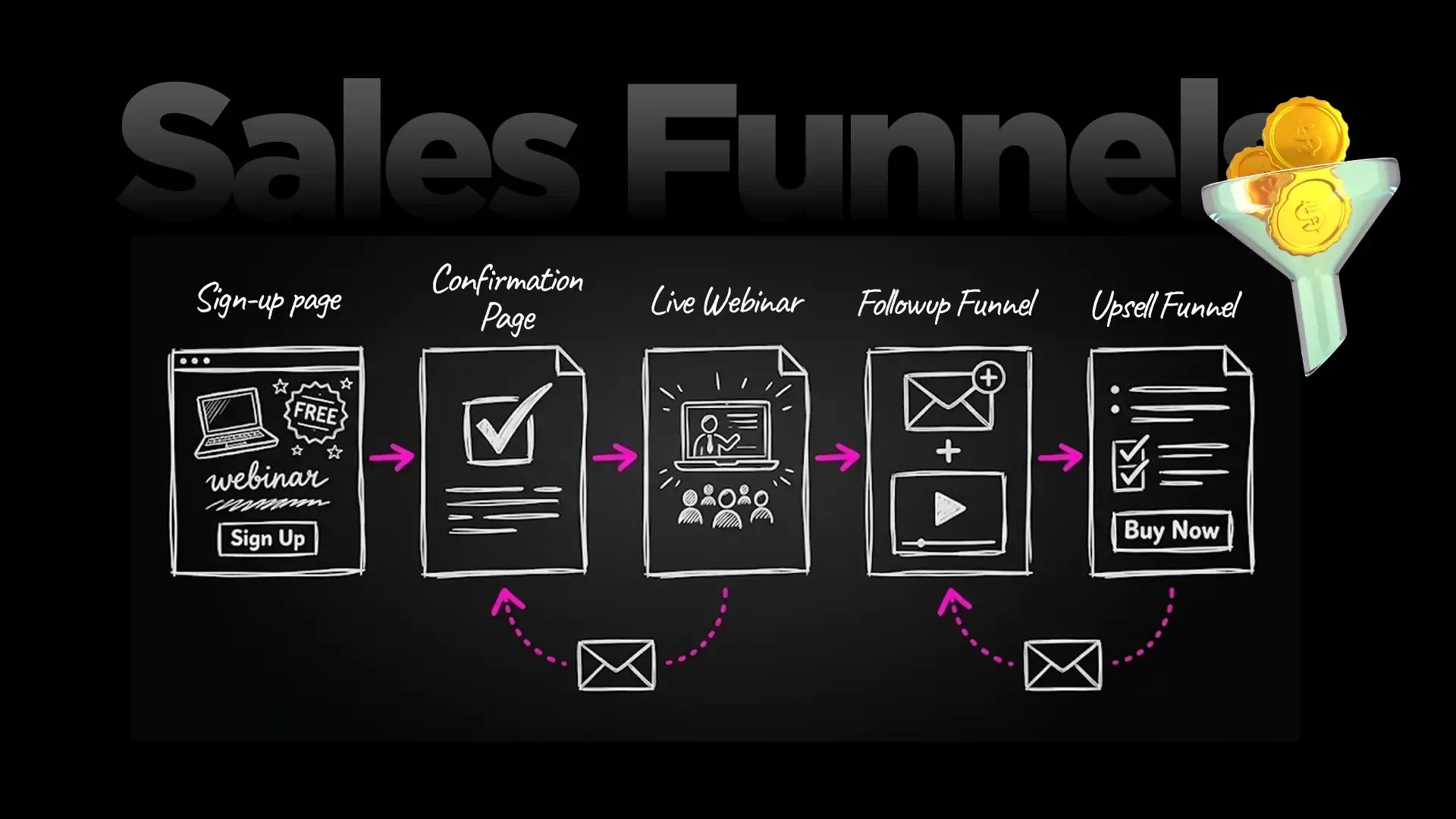
An AI funnel builder is software that builds your sales funnel from a plain-English description: the sales page, the checkout, the order bump, the upsell and the thank-you page, wired together and ready to sell. You describe your offer, the AI proposes the pages and settings, and you approve what goes live. No dragging blocks around an editor.
Inside FlexiFunnels, that AI funnel builder is called Flexi Genie. It is an AI assistant built into the FlexiFunnels dashboard. You click "Flexi Genie" in the top menu, type what you want in plain English (or any language), and it builds and runs your pages, funnels, checkouts, courses and offers for you. There is nothing to set up or connect, and you don't have to touch the editor.
This guide explains how an AI funnel builder works, what Flexi Genie can build, a full worked example of a $199 course funnel built in one conversation, the safety rails, and the honest limits. Flexi Genie is in beta, and we'll tell you exactly what that means.
New to FlexiFunnels? See FlexiFunnels here, or try FlexiFunnels here and start your 14-day free trial. Already a customer? Jump to how to start using Flexi Genie.
What is an AI funnel builder?
An AI funnel builder turns a description of your offer into a working sales funnel, then keeps changing it whenever you ask. It writes the copy, creates the pages, sets the price, connects the checkout and links each step to the next.
A classic funnel builder gives you templates and an editor. You still do every step yourself. An AI funnel builder does the steps for you and asks you to approve them.
The best ones do more than draft a page. They operate the whole account:
Build: sales pages, opt-in pages, checkouts, thank-you pages and full funnels from a sentence.
Sell: create products, set prices, add order bumps and coupons, connect a payment gateway.
Run: answer questions like "How did sales go this week?" and make the next change.
That last part is the difference between an AI page generator and an AI business builder. A generator hands you a draft. A builder like Flexi Genie keeps working inside your account after the draft is done.
Why does building a sales funnel by hand take so long?
A funnel is not one page. It is five or six connected pieces, and each piece lives on a different screen. That is why "I'll launch it this weekend" so often becomes next month.
Here is what a simple course funnel needs before it can take one payment:
A product with a name, a price and a currency.
A payment gateway connected to that product, such as Stripe or PayPal.
A sales page with a headline, benefits, proof and a buy button.
A checkout page with an order form.
An order bump on that checkout.
A thank-you page, and the course access that follows payment.
A coupon for your launch, and tracking for your ads.
Miss one link and the funnel breaks quietly. The buy button goes nowhere. The bump never shows. Buyers pay and don't get access.
Now add the copy. Every page needs words that sell, and most course creators and coaches are not copywriters. So the funnel sits half-built while you stare at a blank headline.
The real cost isn't the software. It's the launch that never happens, and the ad money you can't spend because the page isn't ready. An AI funnel builder attacks exactly that gap: the distance between an idea and a live, wired funnel.
What is Flexi Genie?
Flexi Genie is the AI funnel builder built into FlexiFunnels: a chat inside your dashboard that builds and runs your pages, funnels, checkouts, courses and offers when you ask in plain words. It lives in your account, so it works on your real products, pages and numbers.

Flexi Genie sits in the top menu of the FlexiFunnels dashboard, next to Products, Projects, Affiliates and Funnel. The BETA tag is there on purpose.
Four things make Flexi Genie different from pasting prompts into a general chatbot:
It's already connected. There is nothing to set up or connect. Click the button and start typing.
It remembers your brand. Brand memory stores your voice, your pricing rules and your guardrails, so every page sounds like you.
It previews before anything goes live. You see what will change first.
It keeps a record. Every conversation is saved and searchable, so you can find last month's launch chat in seconds.
It also works with connected tools in the same chat. For example, you can connect HeyGen for AI video and use it without leaving the conversation.
Behind the chat sit 170+ actions inside your FlexiFunnels account, and we add more every week. You never pick an action by name. You say the outcome, and Genie picks the actions.
What can an AI funnel builder build for you?
Flexi Genie's 170+ actions fall into five groups: pages and websites, funnels and optimization, products and checkouts, courses and memberships, and offers and growth. The table shows each group with a request you could type today.
Group | What Flexi Genie can do | Example request |
|---|---|---|
Pages and websites | Sales pages from a description, checkout pages with an order form, buy buttons, lead forms, rewrite copy, redesign sections, swap offers, publish, version history, clone pages | "Make a sales page for my $49 ebook." |
Funnels and optimization | Full funnels, add or reorder steps (upsells, downsells, order bumps, thank-you pages), split tests, declare a winner, Facebook pixel and Conversions API | "Create a funnel for my $49 ebook: main offer, then a $27 upsell for a bonus template pack, then a thank-you page." |
Products and checkouts | Products, pricing (one-time or subscription), currency, order bumps, product rules, orders, subscriptions, product stats | "Create a checkout page for my $49 ebook with an order bump for the template pack." |
Courses and memberships | Courses, modules, lessons, videos, drip schedules, bundles and access | "Create a course called Email Marketing Mastery with 5 modules, and unlock one module a week." |
Offers and growth | Coupons, payment gateways, connecting and verifying domains, autoresponders, webhooks, reading your business numbers, cart-abandonment emails per product | "Create a 30% coupon for the next 7 days and apply it to these products." |
Two things stand out in that list.
First, it covers the selling, not just the pages. A page builder that can't set a price, add a bump or create a coupon still leaves you doing half the work.
Second, it can read your numbers. Ask "How did sales go this week?" or "How is my course performing this month?" and Genie answers from your account. That turns the chat into a daily operating tool, not a one-time setup wizard.
Want the deeper background on funnel structure first? Read our guide to the sales funnel builder and how each step makes money, and our guide to designing a checkout page that converts.
Worked example: a $199 course funnel built in one conversation
Here is how a complete course funnel comes together with an AI funnel builder, one message at a time. This is an illustration of the workflow with example prices, not a customer result. Your exact replies from Genie will differ.
Meet Emma. She teaches yoga and wants to sell a $199 online beginners' course. She has no pages, no checkout and no copywriter.
Step 1: Describe the funnel
Emma opens Flexi Genie, clicks + New chat and types:
"Build me a sales funnel for a $199 yoga course with a checkout and thank-you page."
Before writing anything, Genie asks for the details that make a page sell: who the course is for, what's inside, the format, and whose name goes on it. That's a good sign. Generic answers make generic pages.
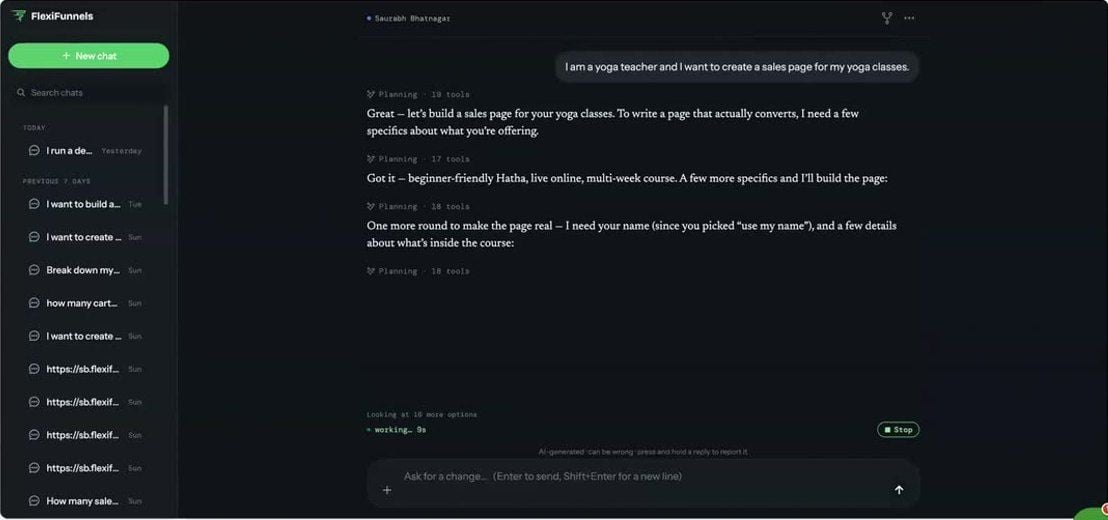
A real Flexi Genie chat from our live workshop: the yoga teacher asks for a sales page, and Genie plans its steps and asks for specifics before it builds.
Step 2: Review the preview, then publish
Genie builds the sales page, the checkout and the thank-you page, and shows Emma what it is about to change before anything goes live. She reads the headline, checks the price and approves.
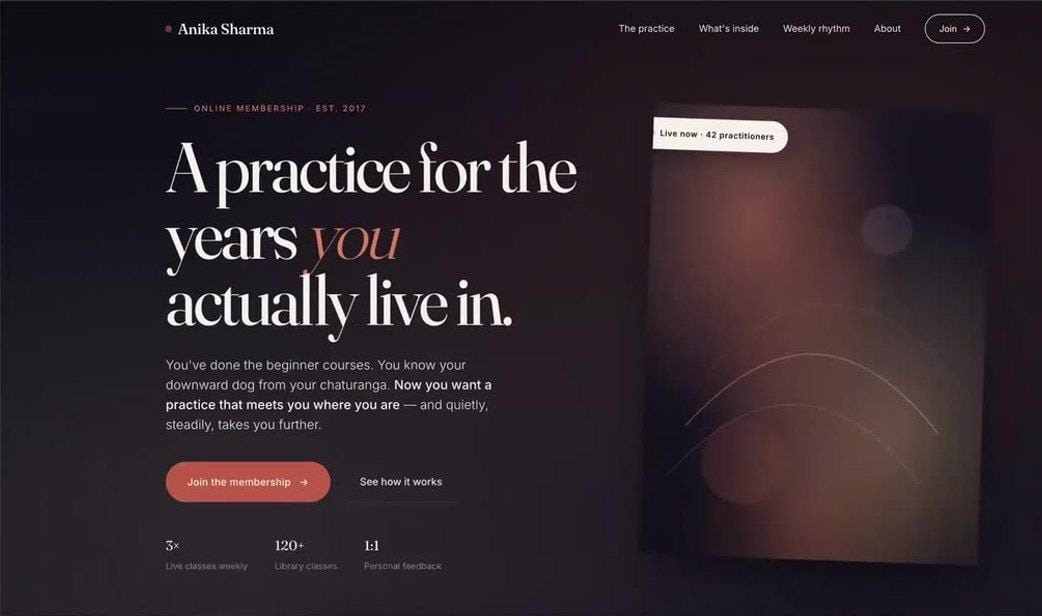
The page Flexi Genie built in that same live workshop session. Workshop demo, shown as built.
Step 3: Add a $47 order bump and sharpen the headline
Emma wants more from every buyer. A bump is a small, related offer shown on the checkout, ticked with one click. She types:
"Add a $47 bump and change the headline."
Genie adds the bump to the checkout, proposes a new headline and shows her the change before it goes live.
Step 4: Check the wiring
One question saves a lot of embarrassment on launch day:
"Show me the structure of my yoga funnel."
Genie lists the steps in order: sales page, checkout with the bump, thank-you page. If something is in the wrong place, Emma asks Genie to reorder it.
Step 5: Create a launch coupon
Finally, Emma wants a launch offer for her email list:
"Create a 30% coupon for the next 7 days and apply it to these products."

Coupons are one sentence. This prompt from the FlexiFunnels help centre creates a 20% coupon called SUMMER20 that expires in 14 days.
Five messages. One sales page, one checkout with a bump, one thank-you page and one coupon, all inside the same account that takes the payment.
Example only: prices and steps are illustrative. Flexi Genie is in beta, and how fast a funnel comes together depends on your offer and how clearly you describe it.
Want to see this on your own offer? Book a free 1:1 consultation and we'll walk you through it live.
How do brand memory, previews and approvals keep your funnel safe?
Flexi Genie is built so the AI does the work and you keep control: it previews changes, asks before it changes your account, never deletes anything, and lets you roll pages back.
Brand memory: it writes like you
Open the ··· menu in the chat, then Settings, then Agent. That's brand memory. Store your brand voice, your pricing rules and your guardrails there once.
From then on, Genie uses them in every page and every chat. If you never discount below a certain price, or never use certain words, tell brand memory and you won't need to repeat it.
Preview before anything goes live
The welcome screen says it plainly: "Ask in plain words. You'll see exactly what changes before anything goes live." You review first, then approve.
Nothing is deleted, and pages roll back
Changes that touch your account wait for your approval. There is no delete button for the AI to press. Every page keeps a version history, so if you prefer yesterday's headline, ask for it back.
Your settings, in one panel
The Flexi Genie settings panel has six sections:
Account: your connected FlexiFunnels account and session.
Agent: brand memory (voice, pricing, guardrails).
Preferences: appearance (System, Light or Dark) and notifications.
Tools: connected accounts, such as HeyGen for video.
AI & Data: what is shared with the AI, your consent and privacy options.
About: help and docs.
How to start using Flexi Genie (for customers)
If you have a FlexiFunnels account, you can start right away: click Flexi Genie in the top menu, start a new chat and describe what you want.
Open it. Log in and look at the top navigation bar of your dashboard. Click Flexi Genie (it has a BETA tag).
Start a new chat. Click + New chat. One chat per task keeps your history easy to search later.
Use the welcome screen. You'll see "What should I build?" with a few suggested prompts. Use them, or type your own request in your own words.
Set up brand memory early. Open ··· → Settings → Agent and add your voice and pricing rules before your first big build.
Review and approve. Read the preview, ask for changes, then approve.

The Flexi Genie chat: New chat, a searchable history on the left, and the "What should I build?" welcome screen.
Don't see the button? Make sure you're logged in and on the main dashboard. If it's still missing, Flexi Genie may not be enabled on your account yet. Ask FlexiFunnels support.
How to write prompts that get good results
Say the outcome, not the steps. "Build a checkout for my $49 ebook with an order bump" beats a list of settings.
Give the specifics. Product name, price, audience, what's included, and the action you want buyers to take.
One task at a time. Ask for the sales page, approve it, then the bump, then the coupon. Long multi-step or bulk requests can stop partway.
Name the thing you're changing. "On my yoga course sales page, change the headline to…" is clearer than "change the headline".
Ask questions too. "Is my new sales page ready yet?" or "Show me the version history for my landing page" are valid requests.
The full step-by-step guides live in the Flexi Genie help centre: pages, projects, products, coupons, courses, bundles, funnels, split tests, payments and domains.
AI funnel builder vs drag-and-drop funnel builder: which is better?
Use an AI funnel builder to get from idea to a live, wired funnel fast; use a drag-and-drop editor when you want pixel-level control over one page. In FlexiFunnels you get both, on every plan.
Question | AI funnel builder (Flexi Genie) | Drag-and-drop builder |
|---|---|---|
How you build | Describe the outcome in plain words | Pick a template, drag blocks, edit each element |
Copywriting | Written for you, in your brand voice | You write it, or paste it in |
Products, checkout, bumps, coupons | Set up in the same chat | Separate screens, set up by hand |
Changes | One sentence: "Change the headline" | Open the editor, find the element, edit, republish |
Business questions | Ask "How did sales go this week?" | Open the reports yourself |
Control and safety | Preview, approval, version history | Full manual control, version history |
Skill needed | Knowing your offer | Some design and setup know-how |
Best for | Fast launches, busy owners, non-technical creators, agencies with many builds | Fine design tweaks and custom layouts |
Best for most people: both. Let the AI funnel builder get you to a live funnel, then fine-tune anything you like by hand. FlexiFunnels also includes the AI Page Builder, 1,000+ templates and a drag-and-drop editor, so you're never locked into one way of working.
Do it by chatting: the FlexiFunnels MCP
The FlexiFunnels MCP gives you the same 170+ actions as Flexi Genie, but from the AI assistant you already use: ChatGPT, Claude, Gemini or any other LLM. Flexi Genie lives in your dashboard. The MCP brings FlexiFunnels into your favourite chat window.
MCP stands for Model Context Protocol, an open standard for connecting AI tools to apps. Your LLM is the brain. FlexiFunnels is the business operating system it controls.
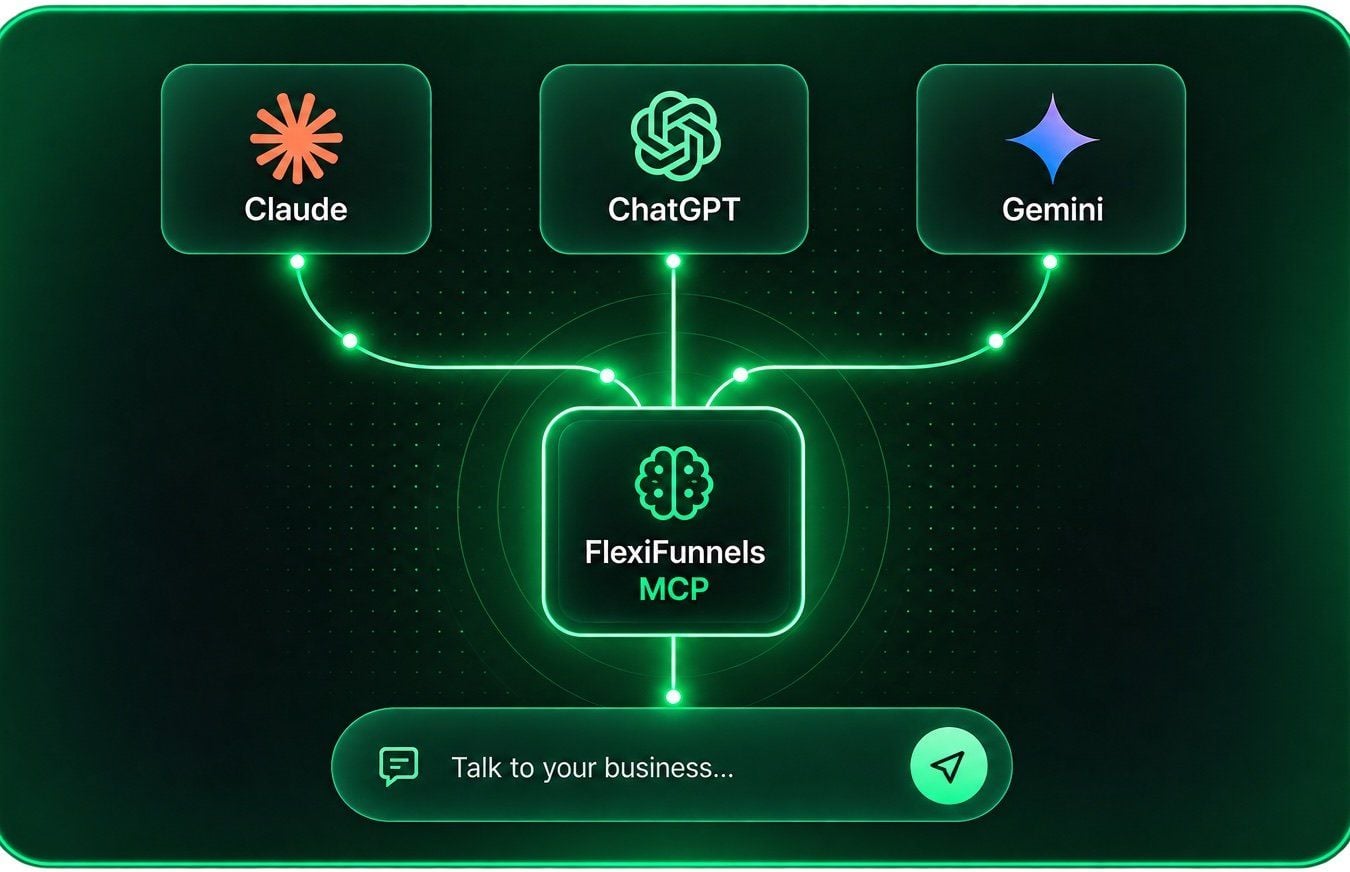
Claude, ChatGPT and Gemini connect to your FlexiFunnels account through the FlexiFunnels MCP.
Setup takes about two minutes:
In your FlexiFunnels dashboard, copy your MCP connection link.
Paste it into your LLM's connector settings, click Connect, then Authorize.
Start chatting. Approve each action before it runs.
Try prompts like these:
"Create a product at $97 inside FlexiFunnels, build its checkout page, and connect my Stripe."
"Build me a registration funnel with an opt-in page and a thank-you page."
"Pull last week's orders, tell me which product sold least, and create a 48-hour 25% coupon for it."
It also works with Claude Code, Codex and Antigravity for longer builds, and with Zapier, n8n and Make for automations. See the FlexiFunnels MCP page, or read our full guide to the FlexiFunnels MCP.
Which should you use? Use Flexi Genie if you want zero setup inside the dashboard. Use the MCP if you already live in ChatGPT, Claude or Gemini. Both reach the same account.
Who is an AI funnel builder for?
An AI funnel builder fits anyone who sells online and would rather describe a funnel than build one screen by screen.
Course creators: build the course, the sales page, the checkout and the drip schedule from one chat. Then sell it through a funnel that's already wired.
Coaches and consultants: spin up a webinar registration page, a thank-you page and a call-booking funnel for each new campaign.
Digital product sellers: launch an ebook or template pack with a checkout, an order bump and a launch coupon, all from one chat.
Agencies and freelancers: handle many client builds faster. Both FlexiFunnels plans include a commercial licence and 9 sub-users.
Busy owners who run ads: ask for this week's numbers, then make the change in the same chat. Pair it with Source Tracking to see which ads bring buyers, and grow with partners through affiliate management.
It is less useful if you need a multi-product store with add-to-cart and price-changing variants. FlexiFunnels is built for single-product funnels, and Flexi Genie and the MCP don't support add-to-cart or price-changing variants yet.
What are the limits of Flexi Genie today?
Flexi Genie is in beta, its answers can be wrong, and it works best one task at a time. Here's the honest list.
Beta. The interface and features are still changing as we ship updates.
It can be wrong. The chat itself says "AI-generated, can be wrong". That's exactly why it previews changes before anything goes live. Read the preview.
One task at a time. Very long multi-step or bulk requests can fail partway. Break big jobs into steps.
It may not be switched on yet. If you don't see the button, it may not be enabled on your account yet.
Not a store builder. No add-to-cart or price-changing variants yet.
Domain DNS stays with your registrar. Genie can add and verify a custom domain, but DNS records are changed where you bought the domain.
We'd rather you know this upfront. An AI that previews, asks and keeps version history is one you can trust with a live business, even in beta.
Frequently asked questions
What is the best AI funnel builder?
The best AI funnel builder is the one that builds the whole funnel inside the platform that takes your payments, not just a page draft. Look for checkout, order bumps, coupons, courses and reporting in the same chat, plus previews and version history. Flexi Genie does all of these inside FlexiFunnels, which is trusted by 23,000+ businesses. Compare a few tools on your own offer before you decide.
Can AI build a whole sales funnel for me?
Yes. With Flexi Genie you can describe a funnel in one message, for example "Build me a sales funnel for a $199 yoga course with a checkout and thank-you page", and it creates the pages and wiring for you to review. You still approve each change, check the copy and connect your payment gateway. For best results, build step by step: page, checkout, bump, then coupon.
Is Flexi Genie included in every FlexiFunnels plan?
Yes. The pricing page lists the FlexiGenie AI Business Builder in both the Professional plan ($447 a year) and the Premium plan ($697 a year), because every FlexiFunnels plan includes every feature. You can start a 14-day free trial, with no credit card required, and FlexiFunnels advertises a 30-day money-back guarantee. Flexi Genie is in beta, so it may not be enabled on every account yet.
Do I need ChatGPT or Claude to use Flexi Genie?
No. Flexi Genie is built into the FlexiFunnels dashboard, so there is nothing to set up or connect. You click Flexi Genie in the top menu and start typing. If you'd rather work from ChatGPT, Claude or Gemini, connect the FlexiFunnels MCP instead. It gives your own AI assistant the same 170+ actions inside your account.
Can Flexi Genie make mistakes?
Yes. Flexi Genie is in beta, and its responses are AI-generated, so they can be wrong. That's why it shows you what it is about to change before anything goes live, why changes wait for your approval and why every page keeps a version history. Read each preview the way you'd review a new team member's work before publishing it.
Will Flexi Genie change my live pages without asking?
No. Flexi Genie previews what it is about to build or change before anything goes live, and changes to your account wait for your approval. Simple questions, such as "How did sales go this week?", are answered straight away because they don't change anything. Nothing is deleted, and pages can be rolled back to an earlier version.
Can I talk to Flexi Genie in languages other than English?
Yes. You can type your requests in plain English or in any language. Describe what you want the way you'd brief a colleague. For the pages themselves, tell Genie which language your buyers read, and add it to brand memory so every new page follows the same rule without you repeating it.
Can I undo something Flexi Genie built?
Yes. Every page keeps a version history, so you can ask Genie to show it and roll back to an earlier version. Nothing is ever deleted by the AI. One caution: if you change a page's URL slug, links that used the old address will stop working, so update your ads and emails too.
Which payment gateways can I use with an AI-built checkout?
FlexiFunnels checkouts work with Stripe, PayPal and Paddle, plus regional gateways such as Razorpay, Cashfree, Instamojo, Xendit and Paystack. Checkouts can show several gateways side by side. You can ask Flexi Genie to connect a gateway to a product, or connect one in the dashboard, and then attach your sales, checkout and thank-you pages to that product.
Can Flexi Genie build online courses and memberships?
Yes. Courses and memberships are one of Flexi Genie's five action groups. You can ask it to create a course, add modules and lessons, attach videos, set a drip schedule, build bundles and manage access. For example: "Create a course called Email Marketing Mastery with 5 modules." Then ask it to build the sales page and checkout that sell it.
What's the difference between Flexi Genie and the FlexiFunnels MCP?
Flexi Genie is the AI chat built into your FlexiFunnels dashboard, with nothing to connect. The FlexiFunnels MCP connects your own AI assistant, such as ChatGPT, Claude or Gemini, to the same FlexiFunnels account and the same 170+ actions. Same power, different front door. Pick the chat window you prefer.
Why can't I see the Flexi Genie button?
Make sure you're logged in and viewing the main FlexiFunnels dashboard. The Flexi Genie button sits in the top navigation bar, with a BETA tag, next to Products, Projects, Affiliates and Funnel. If it still isn't there, Flexi Genie may not be enabled on your account yet. Contact FlexiFunnels support and the team will check it for you.
Can I use AI to create an online business?
AI can do much of the building: pages, checkouts, courses, coupons and the daily changes. It can't choose your offer or your audience for you, and no tool can promise sales. Use an AI funnel builder like Flexi Genie to remove the technical work, then spend your time on the offer, the traffic and your customers.
Build your next funnel in a conversation
You don't have a page-building problem. You have a time problem. Every hour spent wiring checkouts and rewriting headlines is an hour not spent on your offer and your traffic.
An AI funnel builder closes that gap. With Flexi Genie, the distance between an idea and a live funnel is a few sentences, with previews, approvals and version history keeping you in control.
Not a customer yet? See FlexiFunnels here, try FlexiFunnels here and start your 14-day free trial, or book a free 1:1 consultation to see Flexi Genie on your own offer.
Already a customer? Click Flexi Genie in your top menu, start a new chat and type: "Build me a sales funnel for my [product] at $[price] with a checkout and thank-you page."