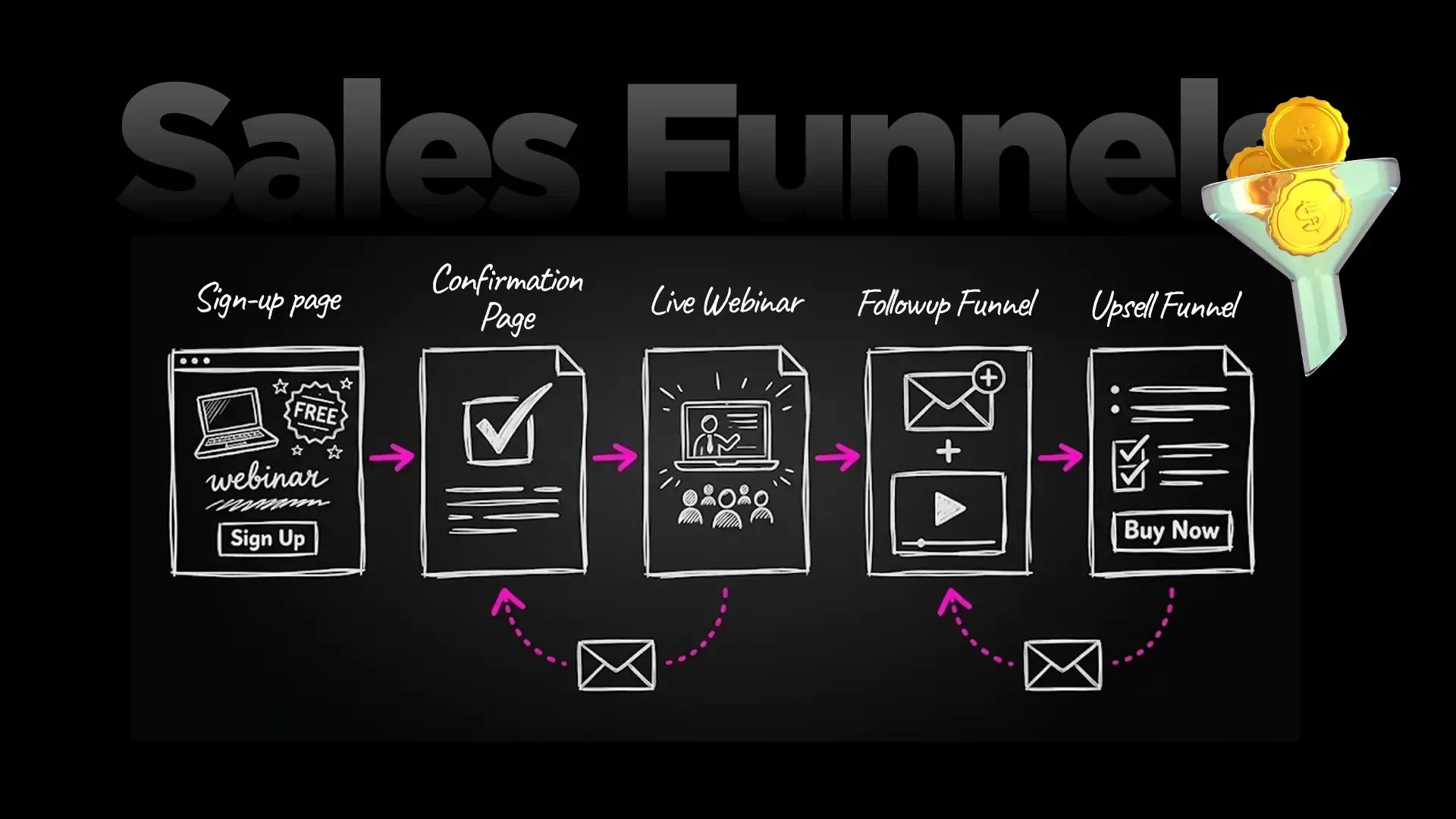
A checkout page is the page where a buyer enters their details and pays. A good one is short, shows the total price, offers the payment methods your buyers use and builds trust. FlexiFunnels checkout pages let you design that page, show several payment gateways side by side, and add bumps, coupons and cart recovery.
The checkout is the most expensive place to lose a customer. They have already read your page, believed your offer and clicked buy. This guide shows what to put on a checkout page, what to leave off, how to offer Stripe, PayPal and other gateways together, and how to set it up in FlexiFunnels. All numbers marked as examples are for illustration only.
See FlexiFunnels here · Try FlexiFunnels here (start your 14-day free trial, no credit card needed) · Read the FlexiFunnels checkout pages page
What makes a checkout page convert?
A checkout page converts when it removes every reason to hesitate: a short form, a clear total with no surprises, payment options the buyer trusts, visible security cues and proof that others bought. Anything that does not help the buyer pay is a distraction.
Baymard Institute, which studies checkout usability, has documented an average cart abandonment rate of 70.22% across 50 studies. Its top stated reasons for leaving were extra costs being too high (40%), not trusting the site with card details (19%), being forced to create an account (18%) and a long or complicated checkout (17%). That is ecommerce data, so use it as a benchmark for what to fix, not a forecast of your own results. Source: Baymard Institute cart abandonment statistics.
Each of those reasons maps to something you control on the page:
Extra costs: show the full price, including tax if it applies, before the pay button.
Trust: add a payment security seal, familiar gateway names and a guarantee statement you are allowed to make.
Forced account: collect only what you need to deliver the product.
Complexity: cut fields, steps and links that lead away from the page.
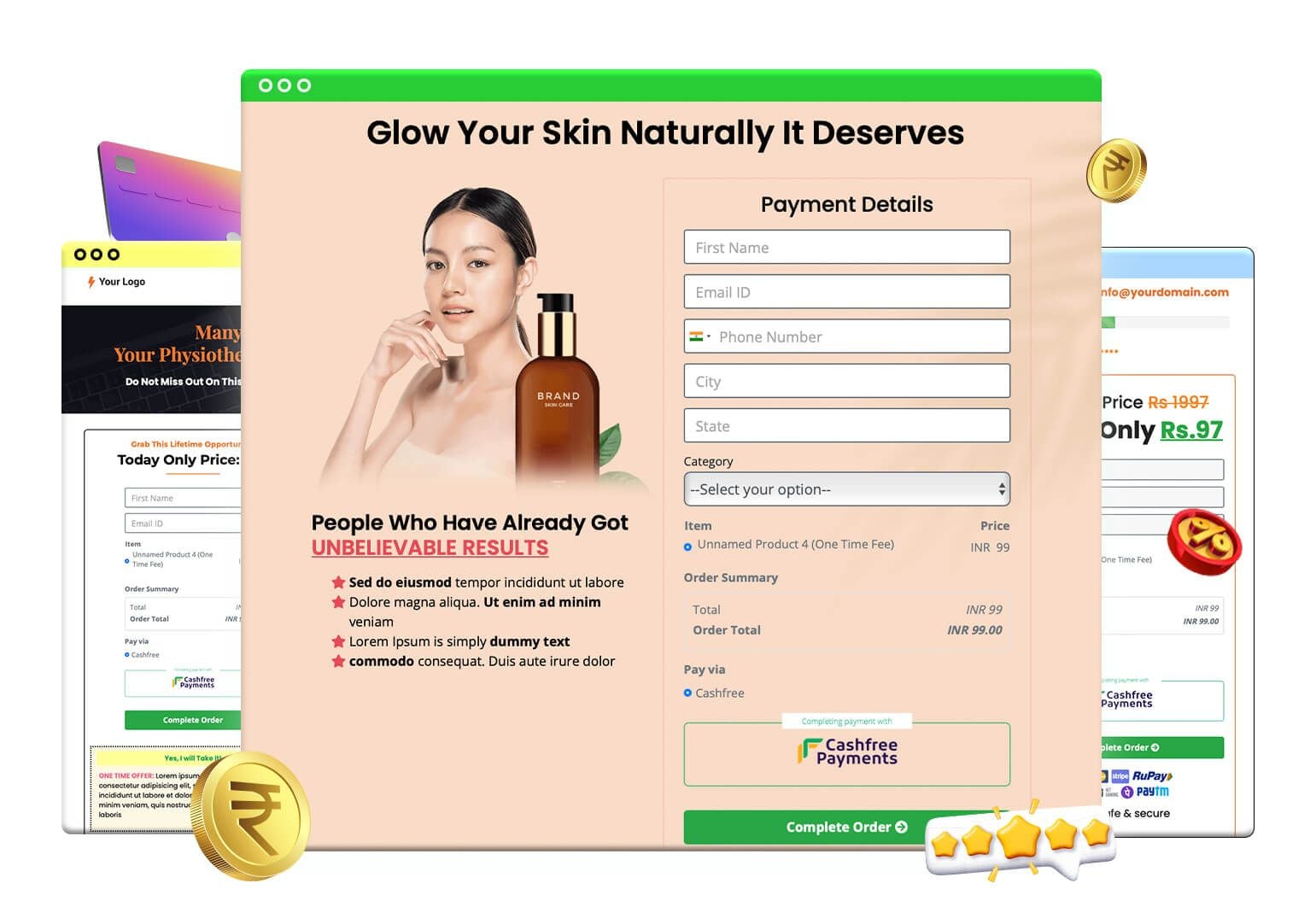
A sample checkout page built in FlexiFunnels: short form, order summary, a payment button and a gateway panel.
What should a checkout page include?
A checkout page should include six things: the offer summary, a short form, the total price, the payment methods, trust elements and one clear pay button. Optional extras such as an order bump, a coupon box and a testimonial come after those six.
Offer summary. Product name, what is included and the price, so the buyer remembers what they are paying for.
A short form. Baymard's 2024 benchmark found checkouts averaged 11.3 form fields, and it says most sites need only about 8 in total. Ask for name, email and phone if you need them, plus an address only for physical goods.
The total. One number, clearly shown, in the buyer's currency where you sell internationally.
Payment methods. The methods your buyers actually use. For buyers in the US, UK, Canada, Australia and Europe that usually means cards and PayPal, with bank transfer or a payment plan for higher-priced offers. Buyers in other regions may expect a local method through a regional gateway.
Trust elements. A payment security seal, testimonials, a guarantee line you can back up.
One pay button. A single action with plain wording such as "Complete order".
Source for the field figures: Baymard Institute, checkout form fields (June 2024).
What does the FlexiFunnels checkout page builder include?
FlexiFunnels checkout pages are built in the same editor as the rest of your funnel. According to the FlexiFunnels checkout pages page, they include multiple payment gateways on one page, order bumps, coupons, countdown timers, testimonials, a payment security seal, automatic invoices, digital product delivery and a cart abandonment email sequence.
Feature | What it does for the buyer or for you |
|---|---|
Multiple payment gateways | Show Stripe, PayPal and Paddle side by side on one checkout, plus regional gateways such as Razorpay, Cashfree and Instamojo (India), Xendit (Southeast Asia) and Paystack (Africa) |
Order bumps | One-click add-ons ticked on the checkout; several bumps can be added |
Coupons | Global or product-specific, percentage or fixed, with expiry and usage limits |
Cart abandonment recovery | An automatic sequence of up to 15 emails to people who started checkout but did not pay |
Custom pricing | Pay-what-you-want, name-your-price or tiered offers |
Quantity | Let buyers choose a quantity for tickets, services or physical goods |
Value stacking | List the included items visually to show the total value of the offer |
Automatic invoices | Invoices sent after purchase, from a template you can customise |
Digital delivery | PDFs, videos and images delivered after purchase |
Facebook Conversions API | Sends purchase events to Meta from the server |
Webhooks, Google Sheets, autoresponders | Send sale data to other tools in real time |
Retargeting code | Add tracking pixels and retargeting code |
Subscription payments (Beta) | Recurring billing for memberships and services, marked Beta on every plan |
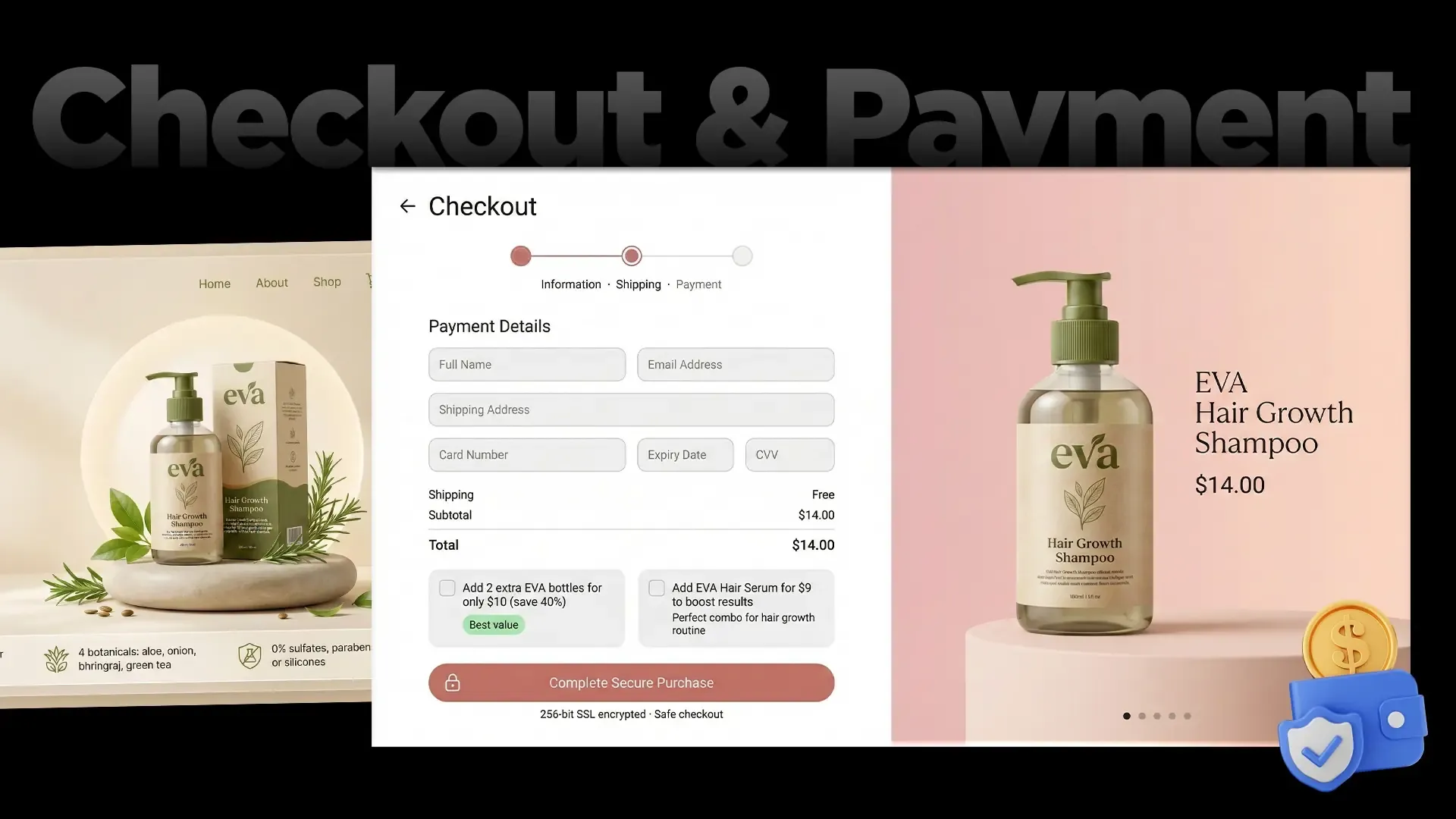
Checkout page design with two order bump checkboxes above the secure purchase button. (Illustrative design.)
How do you accept multiple payment gateways on one checkout page?
You connect each gateway to your FlexiFunnels account, then show the ones you want on the checkout page. FlexiFunnels checkout pages can show several payment gateways side by side, including Stripe, PayPal and Paddle, plus regional gateways such as Razorpay, Cashfree and Instamojo (India), Xendit (Southeast Asia) and Paystack (Africa), so each buyer pays the way they prefer.
On its FAQ, FlexiFunnels says it accepts Visa, Mastercard, Amex, PayPal and Stripe, with local payment methods available through the regional gateways.
Why offer more than one? Different buyers trust different methods. One buyer reaches for a credit card, another only pays with PayPal, and a buyer outside the US and Europe may want a local method through a regional gateway. With one gateway you lose the buyer who does not use it. With several, you stop asking them to change how they pay.
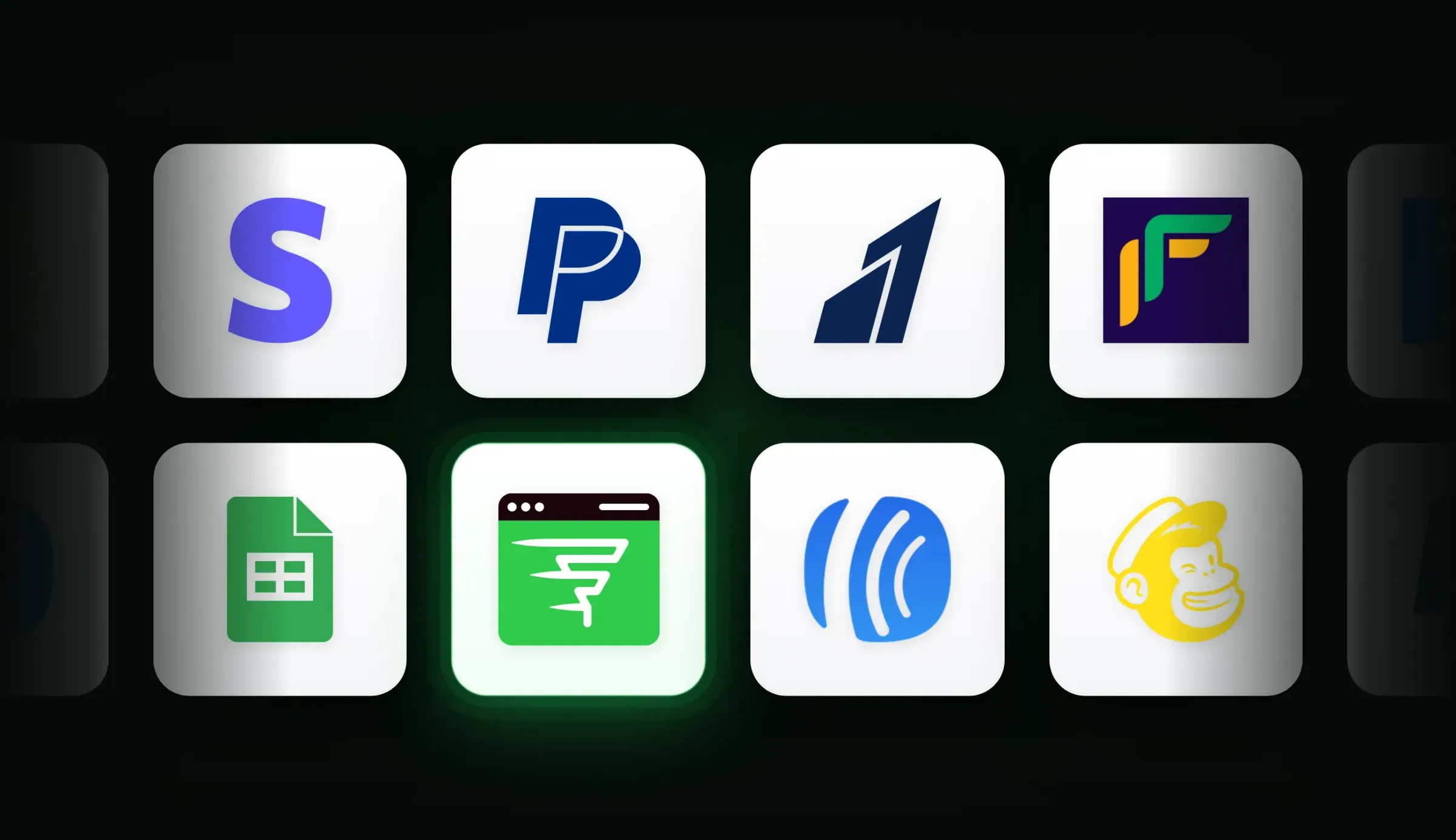
Payment gateways and tools that connect to FlexiFunnels checkout pages.
Which gateway should you use first?
Where your buyers are | Sensible starting set | Why |
|---|---|---|
Mostly US, UK, Canada, Australia, Europe | Stripe and PayPal | Cards and PayPal are the usual choices |
Several regions | Stripe and PayPal, plus the regional gateway for each extra market | Each buyer pays in a familiar currency and method |
Southeast Asia | Xendit, alongside Stripe and PayPal | Local payment methods buyers there use |
Africa | Paystack, alongside Stripe and PayPal | Local payment methods buyers there use |
India | Razorpay or Cashfree, plus Instamojo if you already use it | Local methods such as UPI and net banking |
Check each gateway's own site for fees, supported countries and approval rules. Gateway charges are separate from FlexiFunnels' 1% transaction fee.
For comparison, Stripe's own documentation describes Stripe Checkout as a hosted payments page you can use as a full page, an embedded form or with Elements for a fully customised build. That is a good option if you are building your own site in code. A FlexiFunnels checkout sits inside the funnel instead, so the bump, upsell and reports are in the same account. See Stripe Checkout documentation.
How do you set up a checkout page step by step?
You set up a checkout page in six steps: create the product, connect your gateways, build or pick the page design, add the bump and coupon, connect delivery, and test with a real purchase. Do the test before you send ad traffic.
Create the product. Name, price, currency and what the buyer receives.
Connect your payment gateways. Add the gateways you want to show, one per market or per method.
Design the page. Start from a template or generate a first draft from a one-line prompt with the AI Page Builder, then edit in the drag-and-drop editor.
Add the money-makers. One or more order bumps, a coupon if you run one, and a testimonial or guarantee line.
Connect delivery and tools. Course access or a download, an autoresponder and Google Sheets if you use them, the Facebook Conversions API and your retargeting code.
Test. Pay for your own product with a small real amount through each gateway, check the invoice and delivery email, then refund yourself.
The checkout page sits inside a funnel. Read how to build a sales funnel for the pages before and after it.
How do order bumps and coupons work on a checkout page?
An order bump is a small add-on the buyer ticks on the checkout page. A coupon is a code that lowers the price. Both change what the buyer pays, so show the updated total instantly and make the original price and the discount clear.
Order bumps. FlexiFunnels supports multiple order bumps on one checkout, included on both plans. Keep the bump related to the main product, priced low enough to be an impulse decision, and described in one line.
Coupons. FlexiFunnels coupons can be global (any product) or product-specific, percentage or fixed, with expiry dates and usage limits. Use a real expiry date, and never invent urgency you do not have.
Baymard found 70% of sites show a promo code field, and that is worth knowing: a visible coupon box can send buyers away to look for a code. If you do not run a public coupon, you may not need the field at all. Use coupon links for specific campaigns instead.
How do you recover abandoned checkouts?
You recover abandoned checkouts by capturing the buyer's details when they start checkout and following up automatically. FlexiFunnels can send a sequence of up to 15 emails to people who started checkout but did not pay, and the sequence can include discount codes and direct links back to the cart.
A sensible sequence has a clear job in each email:
Email 1 (within the hour): a plain reminder with the link back to checkout. Many abandoned checkouts are interruptions, not decisions.
Email 2 (next day): answer the most common objection, such as price, timing or how delivery works.
Email 3 (a few days later): add proof, such as a testimonial that is real and permitted.
Later emails: offer help, a payment option or a small coupon if your margins allow it.
FlexiFunnels' own calculators quote recovery rates, but those are marketing figures, not guarantees. Judge it on your own data: how many people abandoned, how many came back, and what they paid.
What does a checkout page do to revenue? (Worked example)
Small checkout improvements are worth money because every visitor has already shown intent. The figures below are examples for illustration only. They are not typical results, and FlexiFunnels does not promise any increase in sales.
Example A: a $47 offer
500 people reach the checkout. At 35% paying: 175 buyers × $47 = $8,225.
After you shorten the form, add another trusted gateway and fix a confusing total, suppose 40% pay: 200 buyers × $47 = $9,400.
Difference: $9,400 − $8,225 = $1,175 from the same traffic.
Recovery: of the 325 who did not pay in the first case, suppose 20 return from reminder emails and pay: 20 × $47 = $940.
Example B: a $197 offer
500 people reach the checkout. At 35%: 175 × $197 = $34,475.
At 40%: 200 × $197 = $39,400.
Difference: $39,400 − $34,475 = $4,925.
Recovery: 20 returning buyers × $197 = $3,940.
Example | 35% pay | 40% pay | Gain | 20 recovered |
|---|---|---|---|---|
Example A ($47) | $8,225 | $9,400 | $1,175 | $940 |
Example B ($197) | $34,475 | $39,400 | $4,925 | $3,940 |
FlexiFunnels charges a 1% transaction fee on sales made through its pages, on top of your gateway charges. On the $9,400 example that is $94, and on the $39,400 example it is $394. Include it in your own maths.
How do you measure checkout conversion?
You measure checkout conversion by dividing buyers by the people who viewed the checkout page. FlexiFunnels product reports show checkout views, unique checkout views, sales, revenue, average order value, earnings per checkout visitor and checkout conversion rate.
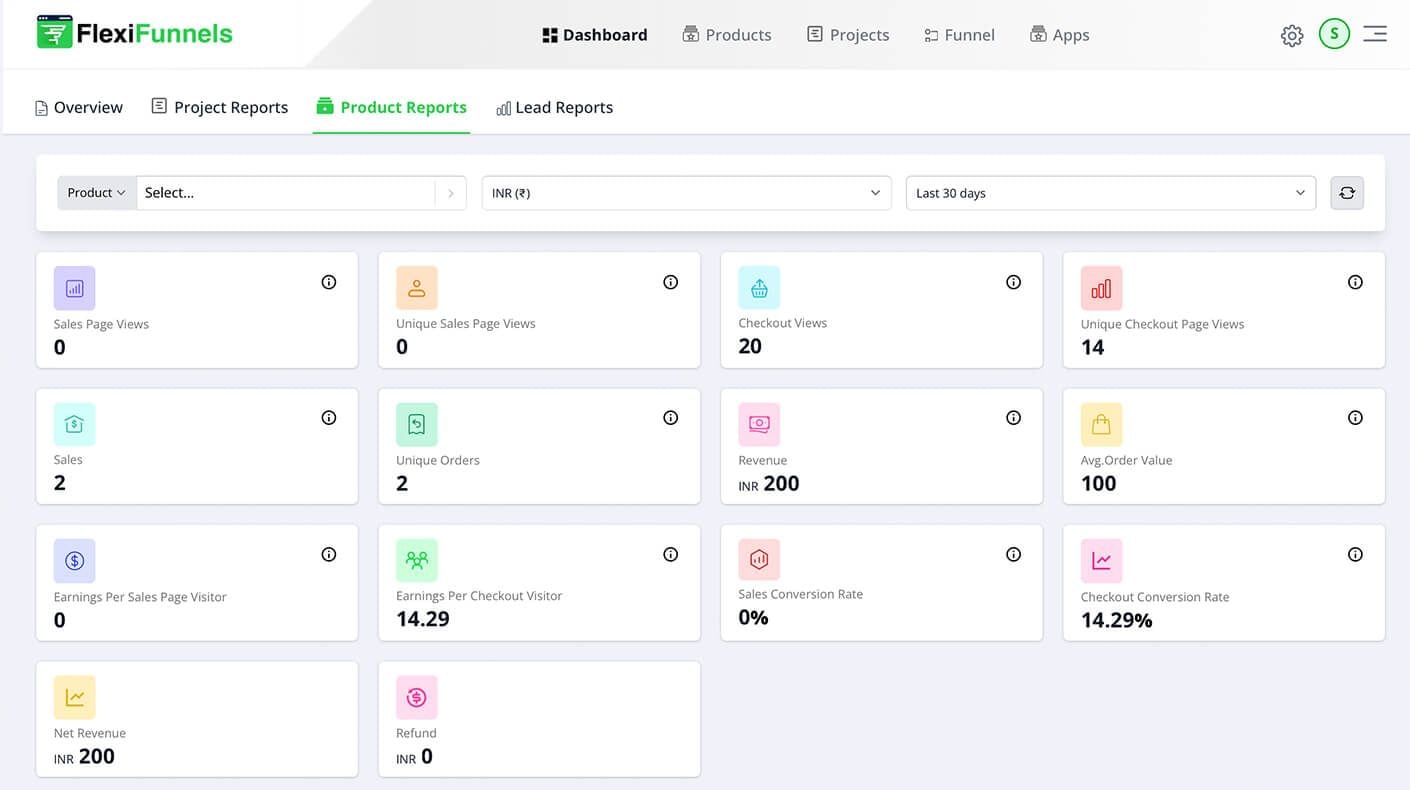
Product report with checkout views, sales, revenue and checkout conversion rate. (Sample account data.)
Change one thing at a time and compare. Fewer fields, then another gateway, then a bump. If you also run paid ads, Source Tracking shows which ads produce the buyers who actually reach and complete this page. For the metrics themselves, see funnel metrics: conversion rate, AOV and EPC.
Who is the FlexiFunnels checkout page for?
It is for businesses that sell one offer at a time and want checkout, bumps, coupons, recovery and delivery in one account: coaches, course creators, digital product sellers, event organisers and agencies building checkouts for clients.
Coaches and course creators who need Stripe and PayPal and pricing in dollars.
Sellers with buyers in several regions who want one checkout showing each buyer a familiar method, with a regional gateway added where it helps.
Agencies that build checkouts for clients, using the commercial licence and sub-users.
What are the limits of the checkout page?
Honest limits: FlexiFunnels is built for single-product funnels, not multi-product stores. Subscription payments are marked Beta. A checkout page cannot fix a weak offer, and FlexiFunnels charges a 1% transaction fee.
No multi-product store: FlexiFunnels says multi-product stores are not supported yet, including add-to-cart and price-changing variants.
Subscriptions are Beta: test them carefully before relying on recurring billing.
Gateway approval is yours: each gateway has its own signup, verification and country rules.
Vendor claims are not your results: conversion lifts quoted on any vendor page, ours included, are not guarantees.
Plan limits apply: Professional has 100 pages and 50 funnels; Premium has 300 pages and 200 funnels.
How much does it cost?
Checkout pages are included on every FlexiFunnels plan. Professional is $447 per year and Premium is $697 per year. A 1% transaction fee applies, and FlexiFunnels advertises a 30-day money-back guarantee. You can start with a 14-day free trial, no credit card required.
Plan | Price | Funnels | Pages |
|---|---|---|---|
Professional | $447/year | 50 | 100 |
Premium | $697/year | 200 | 300 |
Prices read on the FlexiFunnels pricing pages on 22 November 2026. See current plans here.
How do existing FlexiFunnels customers add a better checkout?
Existing customers can build checkout pages with the same tools as other pages. Products live under Products, pages are built under Projects, and the funnel that connects them lives under Funnel. Menu labels can change, so check the knowledge base if something looks different.
Open the product you sell and check its price, currency and delivery.
Build or edit your checkout page under Projects.
Add your gateways, a bump and, if you use one, a coupon.
Turn on the abandoned checkout email sequence.
Run a test purchase through each gateway.
Watch the checkout conversion rate in your product reports and change one thing at a time.
The team can also help on 24/7 live chat, and every plan includes onboarding and 6 one-on-one success calls.
Do it by chatting: the FlexiFunnels MCP
Everything in this guide can also be done just by chatting. The FlexiFunnels MCP connects ChatGPT, Claude or Gemini to your FlexiFunnels account. You ask in plain words, review what it is about to do, approve, and it's done.
"Create a checkout page for my $49 ebook with an order bump for the template pack."
"Create a 30% coupon for the next 7 days and apply it to this product."
"Turn on cart abandonment emails for my course checkout."
Prefer to stay in your dashboard? Flexi Genie is the same chat, built right into FlexiFunnels. See how the FlexiFunnels MCP works, or read the full FlexiFunnels MCP guide.
Frequently asked questions
What is a checkout page?
A checkout page is the page where a buyer reviews their order, enters their details and pays. It sits after your sales page and before the thank-you page. A good checkout page is short, shows the total clearly, offers trusted payment methods and has one obvious pay button.
How do I create a custom checkout page?
In FlexiFunnels you create your product, connect payment gateways, then build the checkout from a template or an AI Page Builder draft and edit it in the drag-and-drop editor. Add your bump, coupon and trust elements, then test with a real purchase before you send traffic.
Which payment gateways does FlexiFunnels support?
FlexiFunnels checkout pages support Stripe, PayPal and Paddle, plus regional gateways such as Razorpay, Cashfree and Instamojo (India), Xendit (Southeast Asia) and Paystack (Africa). Several gateways can appear side by side on one checkout. Each gateway has its own signup, fees and country rules, so check its site.
Can I show more than one payment gateway on the same checkout page?
Yes. FlexiFunnels says multiple gateways can run on a single checkout page at the same time, such as Stripe, PayPal and a regional gateway. That lets each buyer pay with a card, PayPal or a local method, without separate pages.
How many fields should a checkout page have?
As few as you need to deliver the product. Baymard Institute's 2024 benchmark found the average checkout had 11.3 form fields and said most sites need only about 8. For a digital product you may only need name, email and phone, and an address only for physical goods.
What is a good checkout conversion rate?
It varies by offer, traffic source and price, so there is no single good number. Measure your own: buyers divided by checkout page views, from your product reports. Improve it by changing one thing at a time, and compare against your own past results rather than someone else's headline.
What is an order bump?
An order bump is a small, related add-on the buyer ticks on the checkout page before paying, so they pay once for both. FlexiFunnels supports multiple order bumps on a checkout on both plans. It is different from a one-click upsell, which appears after payment.
How does abandoned cart recovery work?
When someone starts checkout but does not pay, FlexiFunnels can send an automatic sequence of up to 15 follow-up emails. They can include discount codes and a direct link back to the cart. Results vary, so track how many people return and pay.
Can I offer coupons on my checkout page?
Yes. FlexiFunnels coupons can be global or product-specific, percentage or fixed, with expiry dates and usage limits. Use real deadlines, and consider coupon links for campaigns instead of a public code box that sends buyers looking for discounts.
Is there a transaction fee on FlexiFunnels checkout pages?
Yes. FlexiFunnels charges a 1% transaction fee on sales through its pages on both plans, on top of your payment gateway's own charges. For example, 1% of $9,400 is $94, and 1% of $39,400 is $394. These are example figures.
Can I take recurring payments?
FlexiFunnels offers subscription payments for memberships, coaching and similar services, but they are marked Beta on every plan. Test them with your own gateway and product before relying on recurring billing for your business.
Do I need technical skills to build a checkout page?
No coding is needed. You choose a template or generate a draft with the AI Page Builder, then edit visually in the drag-and-drop editor. If you want help planning, you can book a free 1:1 consultation with the FlexiFunnels team.
Does it work for sellers in India?
Yes. INR pricing including GST is available, and buyers can pay through regional gateways such as Razorpay, Cashfree and Instamojo, including UPI.
Next step: build a checkout page that earns its place
Start with the six essentials, add one bump, offer the gateways your buyers use, and turn on cart recovery. Try FlexiFunnels here (start your 14-day free trial, no credit card needed), see FlexiFunnels here or book a free 1:1 consultation to plan your checkout with the team. For the whole path around it, read the sales funnel builder guide.